How it works
From first search to keys in hand.
FlatFlick works in two directions — renters looking for a place and a flatmate, and owners looking for the right tenant. Both start in the same app.
For renters
Five steps to a place that fits.
You don't need a broker or a dozen group chats. The app keeps the search, the shortlist and the conversation together.
- 01
Create your profile
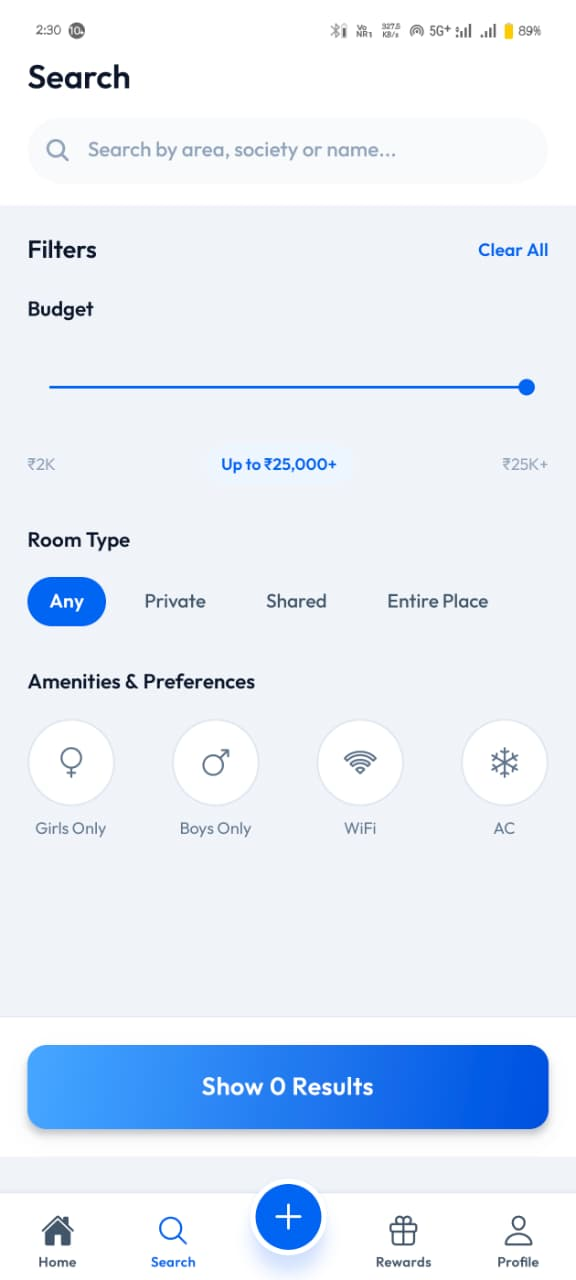
Tell the app your budget, preferred areas, move-in date and living habits. It takes a few minutes and shapes everything you see afterwards.
- 02
Explore stays
Pick your city, then browse Room, PG, Flat, Hostel and Shared listings marked Available Now, Available Soon or Rented Out. Set a budget, choose Private, Shared or Entire Place, and add preferences like Girls Only, Boys Only, WiFi or AC.
- 03
Find your match
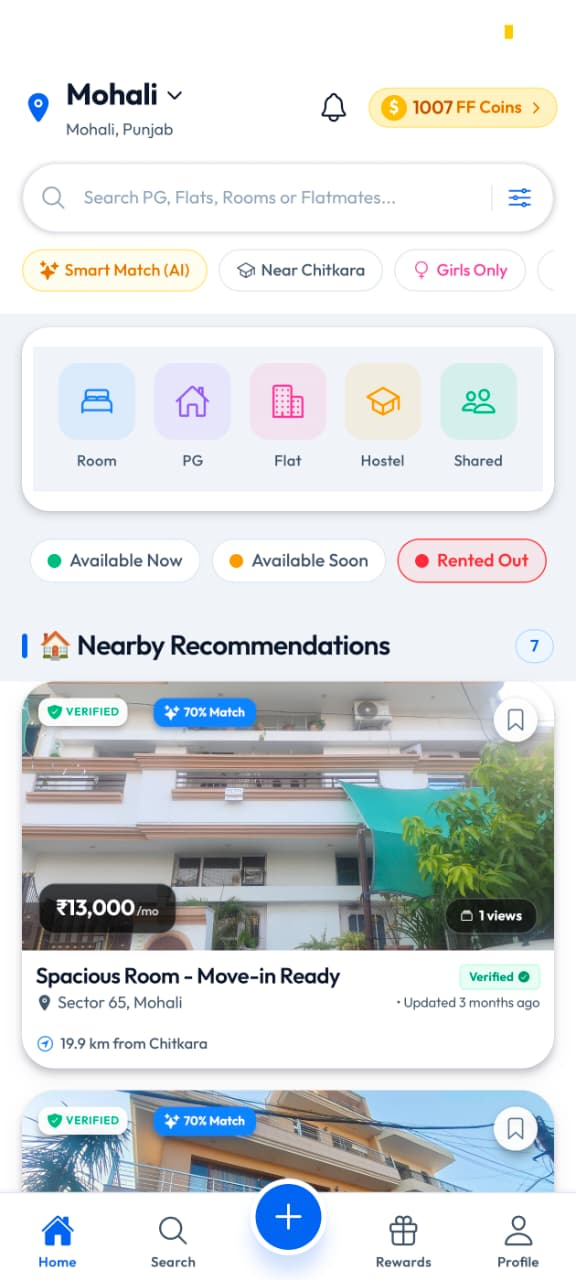
Smart Match surfaces listings and flatmates that suit your profile, with a match percentage shown right on the card.
- 04
Connect
Message the owner directly to ask questions and fix a visit time, and chat with a potential flatmate before deciding anything.
- 05
Move in
Visit, agree the terms with the owner and move in. Activity in the app keeps adding FF coins to your balance.
For owners
Five steps to the right tenant.
Describe the property properly once, and every enquiry you get comes from someone who already knows the rent, deposit and rules.
- 01
Create your listing
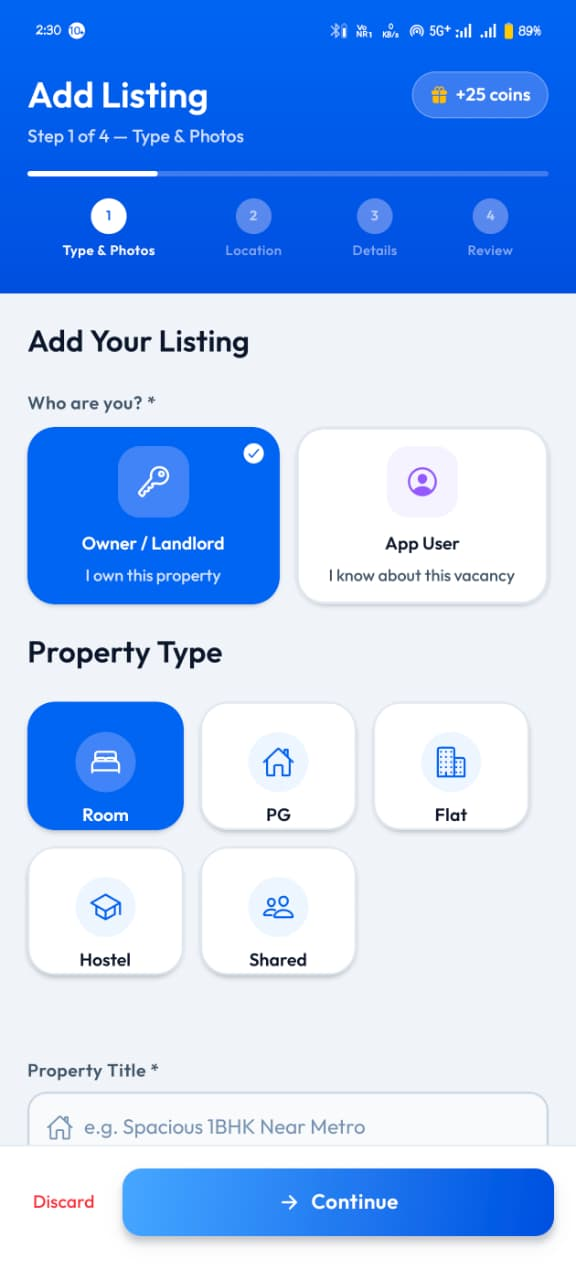
Tap the plus button, say whether you're the owner or an app user who knows about the vacancy, and pick the property type — Room, PG, Flat, Hostel or Shared.
- 02
Add property details
The Add Listing flow runs in four steps — Type & Photos, Location, Details and Review — with a title, rent and the rest filled in as you go.
- 03
Receive enquiries
Renters who've already seen your terms send enquiries straight to your inbox in the app.
- 04
Connect with renters
Reply, answer questions and arrange visits yourself. No agent sits in between.
- 05
Manage your property
Edit details, pause the listing when the room is taken and bring it back live when it's free again.
Before a listing goes live
Every property is seen in person first.
A team member visits the property, confirms the details with the owner and photographs it on the spot. Those timestamped photos are what you see in the app.
Start with step one.
Install the app, set up your profile and see what's available in your area this week.