Features
The whole app, feature by feature.
FlatFlick covers the full stretch from first search to move-in — and, for owners, from listing to the right tenant. Here's what each part of the app does.
01 • PROPERTY DISCOVERY
Search the way you'd describe it to a friend.
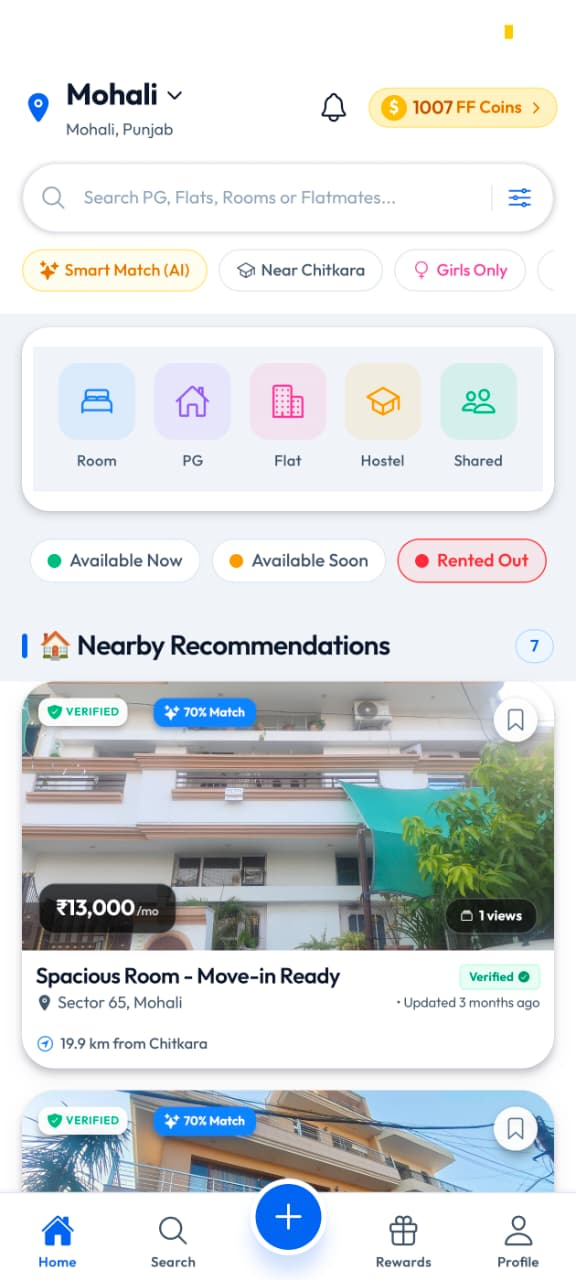
Set your city, search by area, society or name, and browse Room, PG, Flat, Hostel and Shared listings. Nearby recommendations show monthly rent, sector, distance and how recently the listing was updated.
- Categories for Room, PG, Flat, Hostel and Shared
- Availability shown as Available Now, Available Soon or Rented Out
- Monthly rent, area and distance on every card
- Quick filters like Smart Match, nearby college and Girls Only
02 • SEARCH FILTERS
Narrow it down to what you can actually live with.
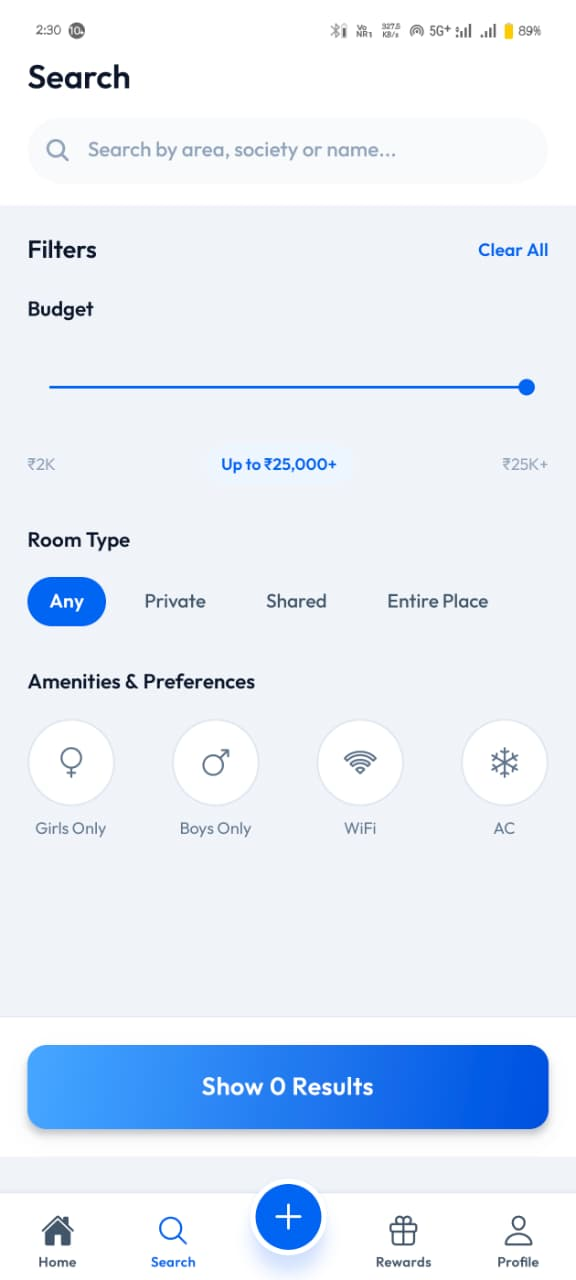
The search screen keeps the filters in one place: a budget range, the room type you want, and the preferences that decide whether a place works for you.
- Budget slider from ₹2K up to ₹25K+
- Room type — Any, Private, Shared or Entire Place
- Preferences for Girls Only, Boys Only, WiFi and AC
- Clear All to start the search again
03 • FLATMATE MATCHING
Match on the habits that decide whether it works.
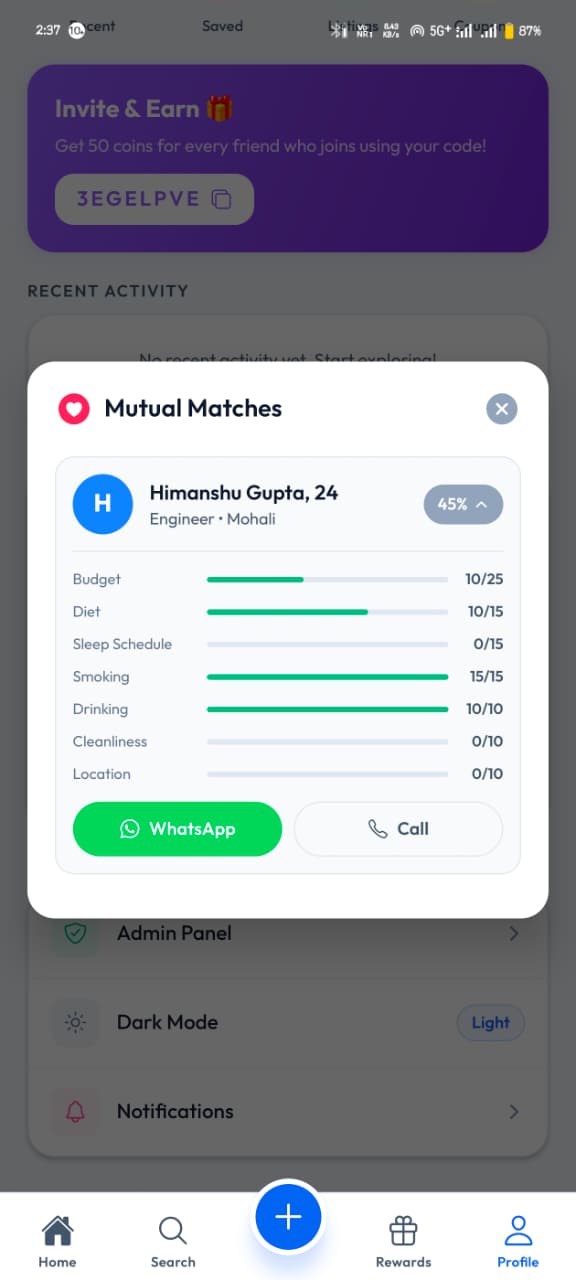
The Flatmate Finder shows people with their work, budget range, area and habits. When you both match, the app breaks the score down category by category instead of giving you one vague number.
- Profiles with budget range, area and tags like Non-Smoker, Vegetarian, Quiet
- Mutual Matches card with a percentage and a per-category breakdown
- Budget, diet, sleep schedule, smoking, drinking, cleanliness and location scored separately
- Reach a match on WhatsApp or by call
04 • PROPERTY VERIFICATION
Photos taken on site, on a date you can see.
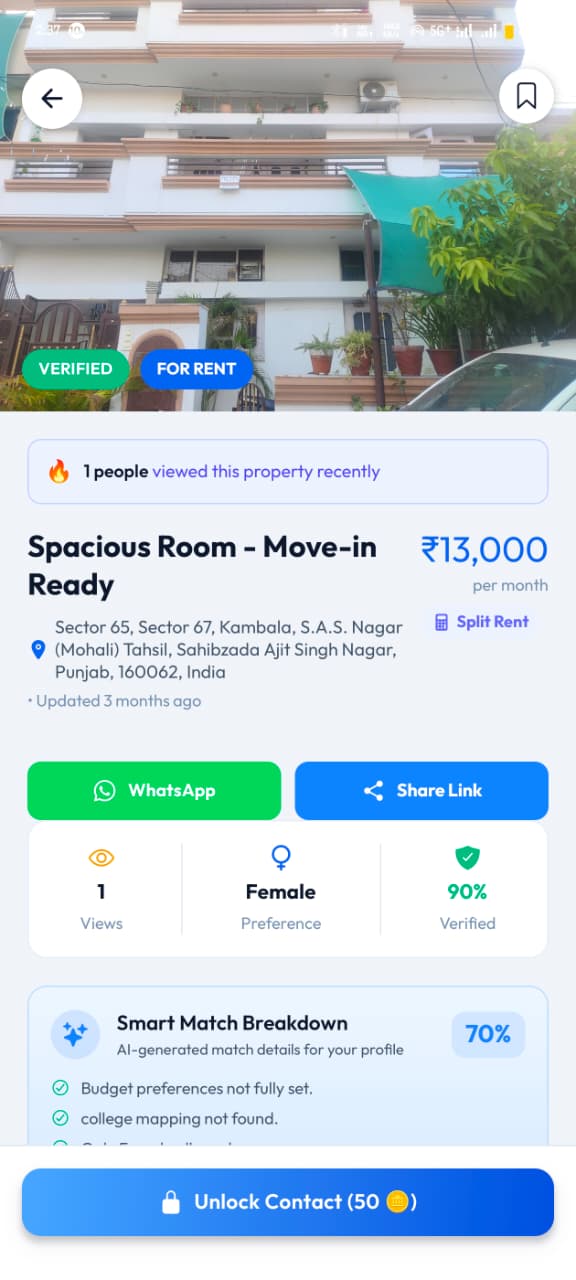
Before a property goes live, someone visits it. The property page carries a VERIFIED badge with the full address, the monthly rent, the tenant preference and a Smart Match breakdown for your profile.
- VERIFIED and FOR RENT badges on the property page
- Photos from the on-site visit
- Full address, monthly rent and Split Rent option
- Tenant preference and verification score shown together
05 • CONTACT & SUPPORT
Reach the owner, or reach us.
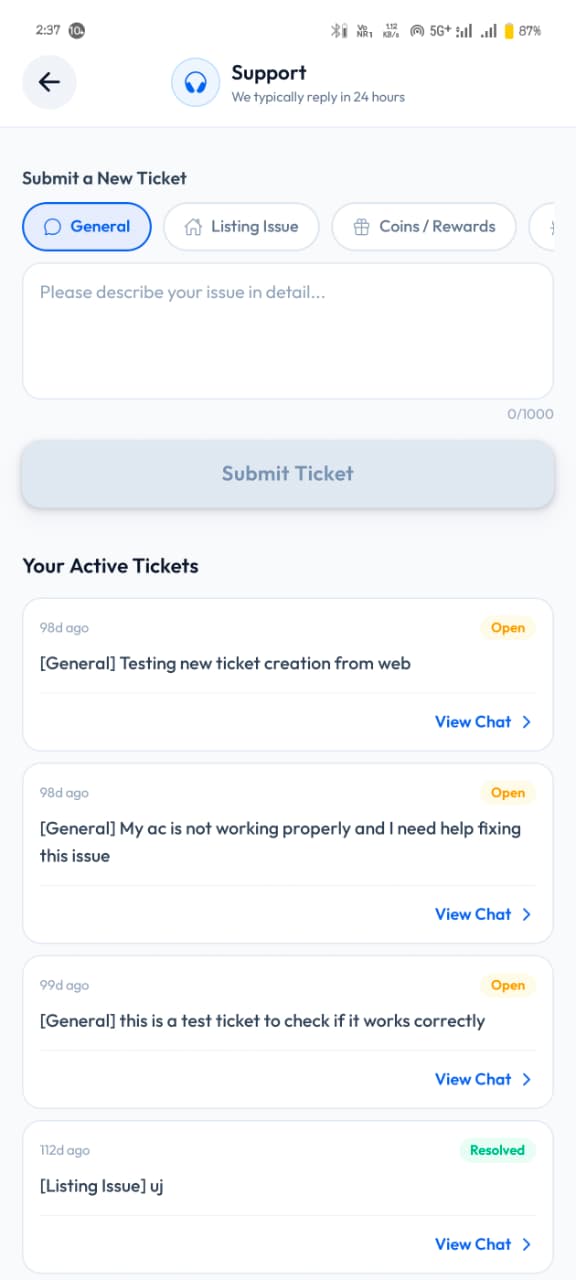
Unlock the owner's contact from the property page and continue on WhatsApp or a call. If something goes wrong, the in-app Support screen raises a ticket and keeps the replies in one place.
- WhatsApp and Call buttons on the property page
- Share Link to send a property to whoever you're moving in with
- Support tickets by category — General, Listing Issue, Coins / Rewards
- Active tickets with their status and chat in one list
06 • FF COINS
Activity in the app turns into coins.
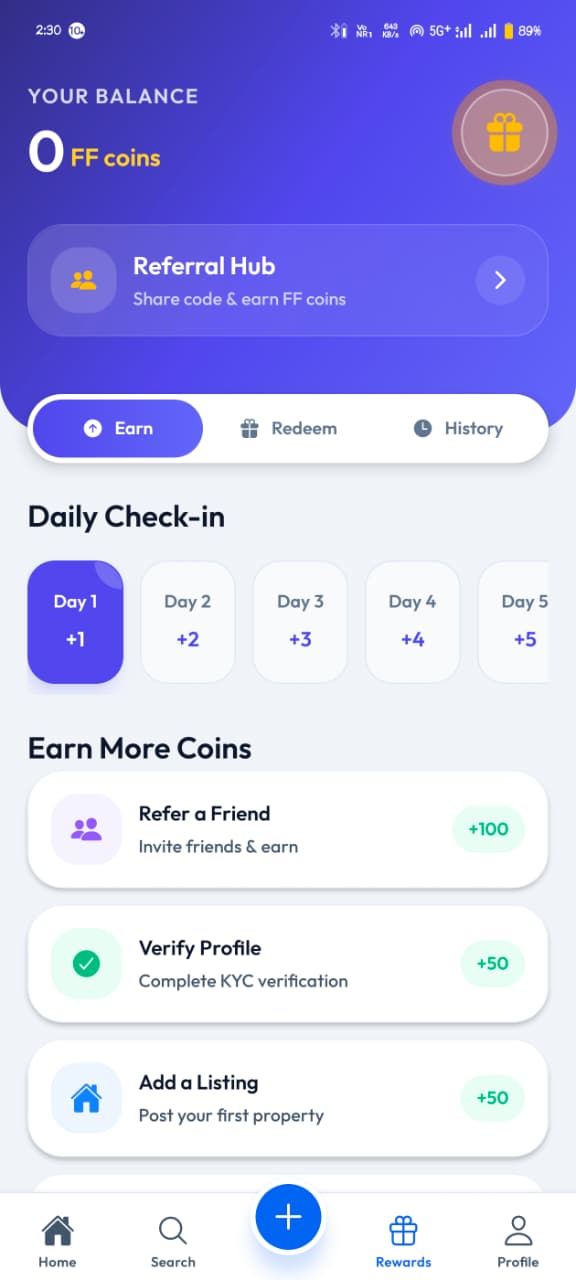
The Rewards tab keeps your FF coin balance, the Referral Hub and everything you can do to earn more. Coins build up from things you're already doing in the app.
- Daily check-in streak, growing from +1 on day one
- Refer a Friend — +100 coins
- Verify Profile with KYC — +50 coins
- Add a Listing — +50 coins, plus +25 while creating one
- Earn, Redeem and History in one place
07 • SAVED PROPERTIES
Shortlist first, decide later.
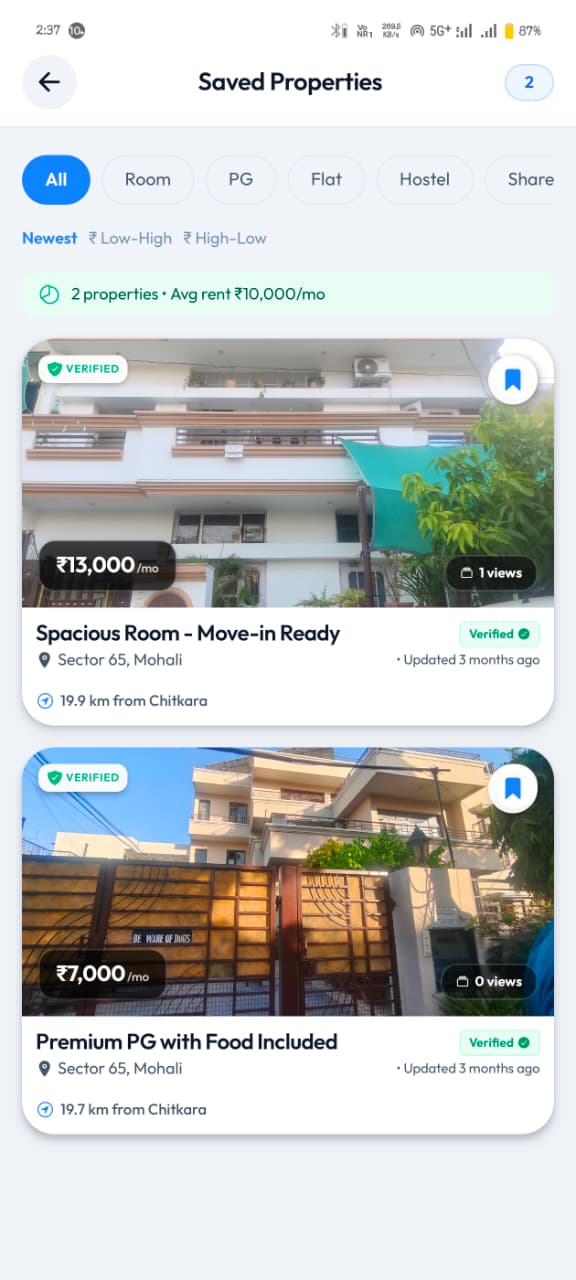
Tap the bookmark on any card and it lands in Saved Properties — filtered by type, sorted by price, with the average rent of your shortlist at the top.
- Filter your shortlist by Room, PG, Flat, Hostel or Shared
- Sort by Newest, price low-high or high-low
- Average rent across the saved properties
- Rent, sector, distance and last-updated on each card
08 • RECENTLY VIEWED
Pick up where you left off.
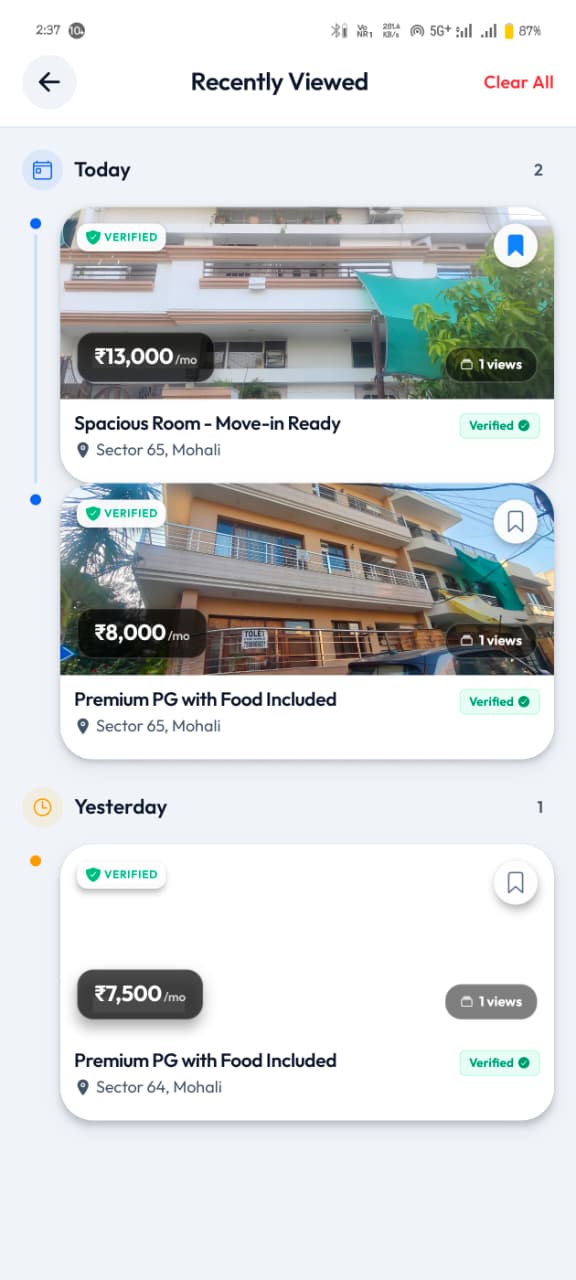
Every property you open is kept under Recently Viewed, grouped by day, so you can get back to the one you saw yesterday without searching for it again.
- Properties grouped by Today and Yesterday
- Rent, title, sector and verified status on each card
- Save straight from the history list
- Clear All when you want a fresh start
09 • OWNER TOOLS
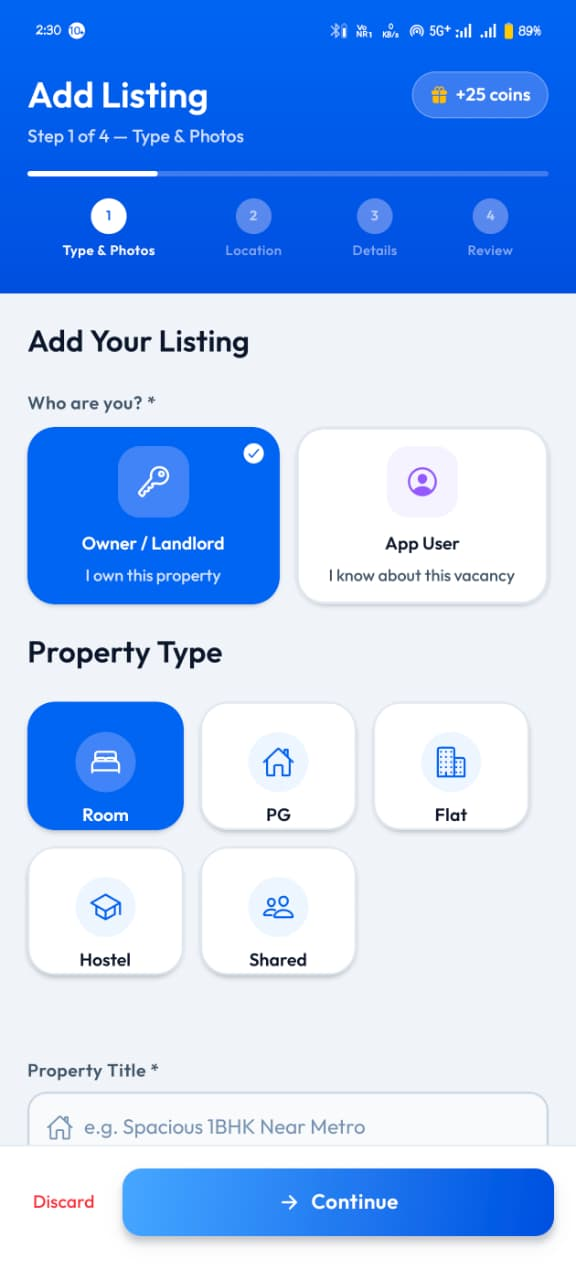
Add a listing in four guided steps.
Owners — and app users who know about a vacancy — can post a property from the phone. The Add Listing flow walks through it step by step, and posting earns coins.
- Step 1 Type & Photos, Step 2 Location, Step 3 Details, Step 4 Review
- Post as Owner / Landlord or as an App User who knows the vacancy
- Property types — Room, PG, Flat, Hostel, Shared
- +25 coins while adding a listing
See it on your own phone.
Install FlatFlick for Android and search the neighbourhood you already have in mind.